Kenli is now on iPhone and Android →
Built for multifamily operations

AI that keeps every property in context.

Record meetings and site visits. Kenli turns them into summaries, action items, and property history you can use later.

No meeting bot. Just hit record.
Kenli minutes for Maple Court on desktop, with a site visit recording on the phone and a meeting recording on a laptop

Built with multifamily operators.

Designed around the way properties are actually run.

  • iPhone · Android · Desktop
  • Organized by property
  • Everything in one place
How it works

Three simple steps.

  1. Hit record.

    Meeting or site visit, phone or desktop, with or without photos. Whatever works for you.
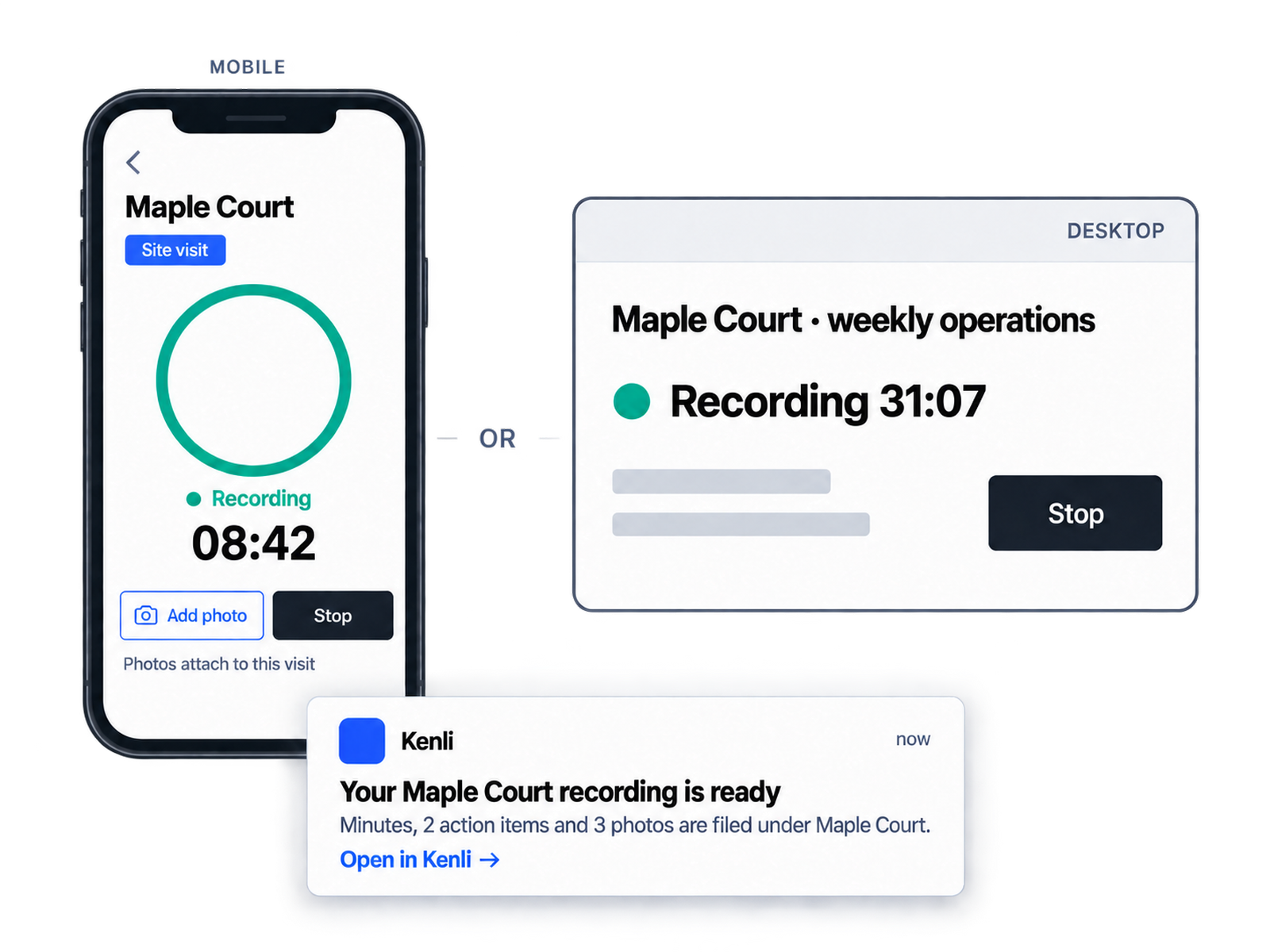
    Record on the phone or on the desktop; either way the recording is filed under Maple Court and the minutes arrive by email
  2. Focus on the work, not the notes.

    Stay with what matters: the people and the property.
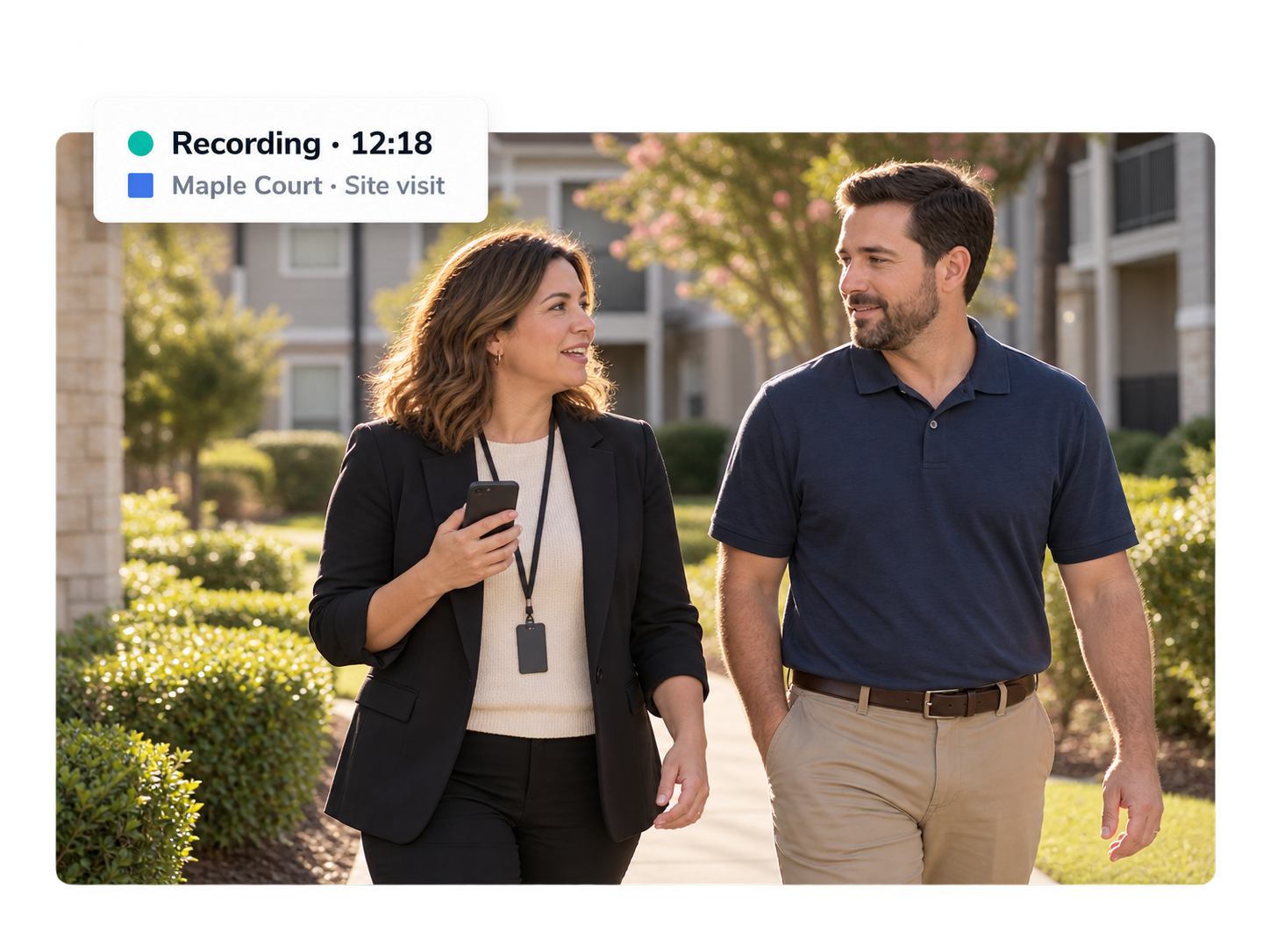
    A regional manager and a property manager walking the property side by side, mid-conversation, with the phone quietly recording
  3. Kenli remembers, so you don’t have to.

    Minutes, photos, action items, and property history, all in one place, all with the property.
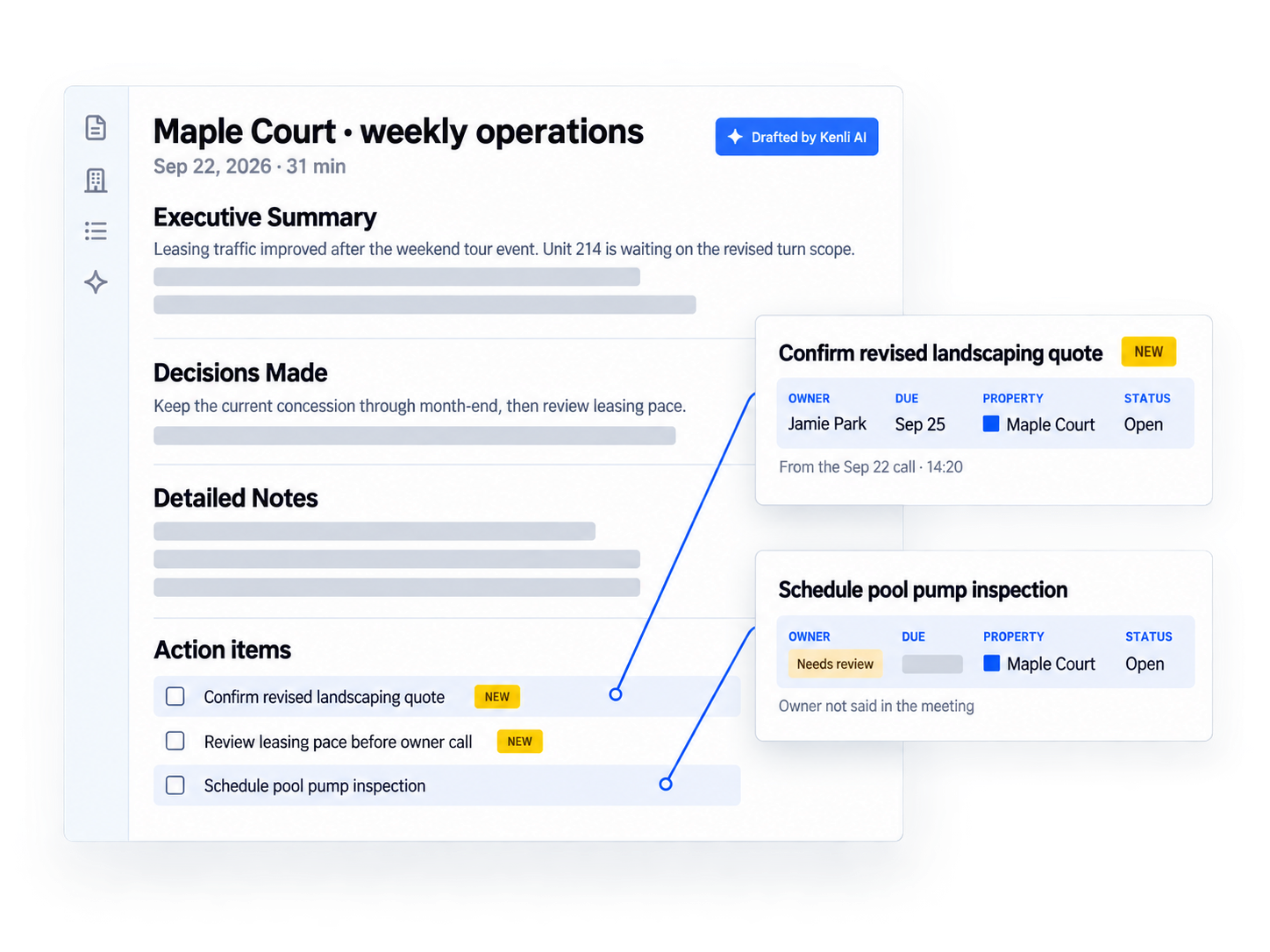
    Kenli minutes for Maple Court with the summary, decisions, and action items pulled out with owners and due dates
Property context

Context that compounds over time.

Every meeting, visit, decision, and action adds to what the property knows.

  1. The history builds itself.Every meeting, site visit, photo, and decision lands on the property’s record, dated and in order. Six months in, the property has a timeline nobody had to write.
  2. It becomes institutional knowledge.When a manager moves on, the record stays: what was decided, why, what was promised, what’s still open. The next person starts from context, not from zero.
Maple Court’s record grows across January, May, and September as Alex Rivera hands off to Jamie Park, who starts with seven months of context
Ask Kenli

Ask what happened.

Across one property or the whole portfolio.

Kenli Assistant answering which properties need attention this week, with sources, and a regional manager asking what was promised to the owner

Built for the whole operating team.

From the property to the portfolio, everyone works from the same context.

A property manager photographing the kitchen of a vacant unit with her phone
Property manager

Walk the unit.
Kenli writes it up.

  • Unit walks and photos, tied to the unit.
  • Issues turn into action items.
  • Nothing to type up afterwards.
A regional manager at her desk reviewing her properties on a laptop
Regional manager

Keep every
property straight.

  • Weekly calls and site visits, in one place.
  • Open items across the portfolio.
  • Ready for the next owner call.
An operations executive at an office window looking out over one of the company’s properties
VP / Executive

Ask the
portfolio.

  • Which properties need attention?
  • What was promised or decided?
  • What’s still open?
Workflows Coming soon

From recording to getting work done.

Kenli already holds the meetings, visits, and decisions. Next, it helps with the recurring work built on them.

PrepPrepare for my next meetingOpen items, decisions, and what changed since last time.
ReportingMonthly site visit reportFilled in from the visits you already recorded.
DecisionsCompare quotesVendor quotes side by side, against what the property needs.
UpdatesMonthly executive updateProperty performance, leasing, and open risks, ready for leadership.
PrepOwner call prepWhat was promised last time, and where it stands.
ReportingUnit turn trackerEvery make-ready from walk to move-in, with photos.
DecisionsVendor follow-upWho owes what, pulled from every site visit.
UpdatesWeekly regional digestOne page per region: open items, risks, wins.
PrepPrepare for my next meetingOpen items, decisions, and what changed since last time.
ReportingMonthly site visit reportFilled in from the visits you already recorded.
DecisionsCompare quotesVendor quotes side by side, against what the property needs.
UpdatesMonthly executive updateProperty performance, leasing, and open risks, ready for leadership.
PrepOwner call prepWhat was promised last time, and where it stands.
ReportingUnit turn trackerEvery make-ready from walk to move-in, with photos.
DecisionsVendor follow-upWho owes what, pulled from every site visit.
UpdatesWeekly regional digestOne page per region: open items, risks, wins.
FAQ

Frequently asked questions

How is Kenli different from a meeting notetaker?

Notetakers organize around meetings. Kenli organizes around the property: meetings, site visits with photos, decisions, and action items all land on the property’s record, and you can ask questions across the whole portfolio.

Does my team need training?

No. Open the app, pick the property, hit record. The minutes and action items arrive by email when they’re ready.

Who can see our recordings?

Only authorized people in your company, by role. Your recordings, transcripts, and photos are never sold and never used to train AI models. Data is encrypted in transit and at rest. See the privacy policy.

What about recording consent?

Kenli shows a visible recording indicator, and your team tells participants before recording, as some states require. The privacy policy spells this out.

How do I get started?

Click Start a pilot and tell us a little about you. It can be just you and your own properties, one region, or the whole company. We reply within one business day and set up your account.

An AI-powered compounding operating memory for every property.